
News
Wear OS 7 brings battery gains and smarter watch apps
Google’s Wear OS 7 announcement combines an advertised battery improvement with Live Updates, new widgets, richer media controls and app actions for assistants.
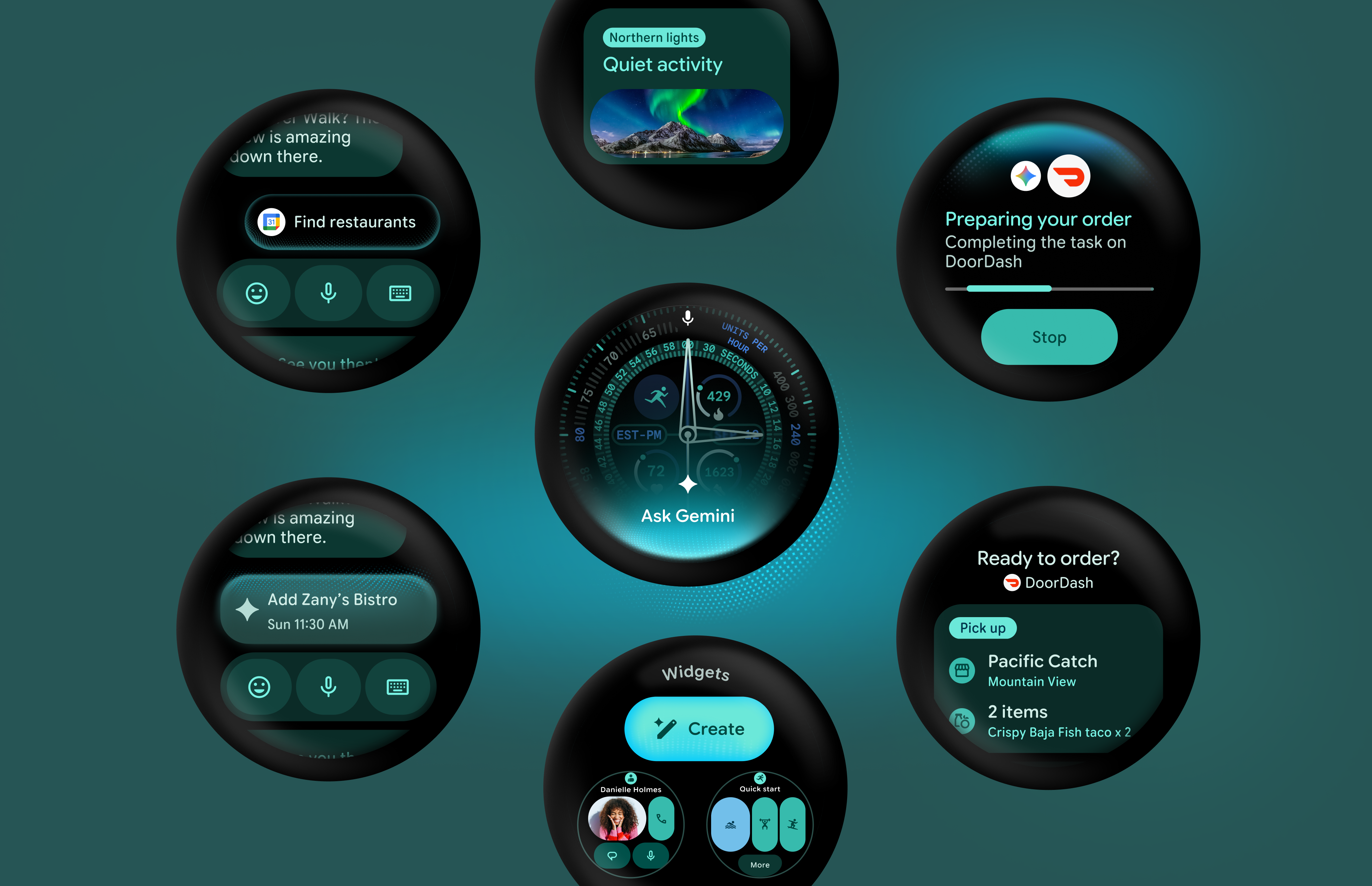
Google has introduced Wear OS 7 as a major software update for smartwatches, with a focus on battery efficiency, more useful information at a glance and a closer connection between watch apps, phone apps and Android’s emerging intelligence features. The announcement matters beyond the watch face: it gives developers a clearer direction for building experiences that can move between the wrist and the wider Android ecosystem.
Google says average users moving from Wear OS 6 to Wear OS 7 can expect up to a 10% improvement in battery life. That is a company expectation, not an independent laboratory result, so it should not be read as a guaranteed gain for every watch or usage pattern. The announcement also says that select watches arriving later this year will include Gemini Intelligence. It does not present a universal release date or suggest that every existing Wear OS watch will receive every feature.
Live information without constant checking
One of the most practical changes is Live Updates. Google describes the feature as a way to surface important, real-time information from a watch app or a phone app directly on the watch. In a delivery example shown in the announcement, the user can follow the progress of an order without repeatedly opening the phone. For developers, Wear OS 7 positions Live Updates as the successor to the Ongoing Activities API for local updates on Wear 7 devices.
The phone-to-watch bridge is just as important as the watch interface. On supported devices, Live Updates published by a phone app can also appear on the user’s watch. That could make a watch more useful during short moments when reaching for a phone is inconvenient, while still leaving the app responsible for choosing which information deserves a place on the wrist. The exact experience will depend on app implementation and on support from the device maker.
Widgets are moving closer to Android
Wear OS 7 also introduces flexible Wear Widgets, described by Google as the next step beyond full-screen Tiles. The new widgets are built with Jetpack Glance and the RemoteCompose framework, and Google highlights small and large card layouts that align with the 2x1 and 2x2 formats used on mobile. That common design language should make it easier for teams to adapt an app’s information hierarchy across a phone and a watch, although a good watch interface still needs to be designed for quick glances rather than copied from a larger screen.
This is a developer-facing change with a visible consequence for users: more consistent, glanceable surfaces for key information. It may also reduce the amount of bespoke work required when an app supports several Android form factors. Google says existing ProtoLayout and Tiles libraries will continue to be supported for some time, giving developers a transition path rather than forcing an immediate rewrite.
More control over audio from the wrist
Wear OS 7 expands System Media Controls in two specific ways. Users can personalize media auto-launch behavior for individual apps. When that setting is enabled, controls can appear on the watch when media starts on a paired phone. The update also adds a Remote Output Switcher, allowing users to change where audio plays from the watch while listening through a connected phone.
These are small interface changes, but they address a familiar smartwatch problem: needing to open the phone for a simple playback decision. The benefit will depend on the media app, the paired phone and the watch’s software support. Google’s announcement describes the capability; it does not claim that every audio service will behave identically.
Apps can expose actions to assistants
The most forward-looking part of the announcement is AppFunctions. Google says the API lets developers connect their apps to agents and assistants such as Gemini, so users can complete supported tasks by voice instead of navigating through every screen. The example given is a request to Samsung Health: “Start tracking my run.” Google says an Early Access Program is available for interested developers, while broader guidance for agentic watch experiences will arrive as the related tools mature.
That distinction is important. Wear OS 7 is not turning every watch app into an autonomous assistant. An app must expose an action, the assistant must support the interaction and the user still needs a compatible device and software configuration. The official AppFunctions documentation is therefore more useful than assuming that a voice command will work across all apps.
A platform developers can start preparing for
Google has made a Wear OS 7 Canary Emulator available, based on Android 17, and is pairing the platform update with Wear Compose 1.6 and other developer tooling. The official Wear OS 7 changes guide covers the platform direction, while Google’s Live Updates documentation explains the notification model behind the new experience.
For consumers, a Canary emulator is a signal that developers can begin compatibility work; it is not proof that the final software is ready for every watch. The same caution applies to the battery statement and Gemini rollout. Google’s current message is about the capabilities being built and the watches arriving later this year, not a complete compatibility table.
Wear OS 7’s promise is consequently less about one headline feature than about reducing friction between a phone, a watch and the apps running across them. If Google and its partners deliver the stated battery improvements, reliable Live Updates and broad app support, the watch could become a more useful glanceable companion rather than a smaller screen that merely repeats phone notifications. Until the rollout and device support are clearer, the sensible takeaway is to watch the developer and manufacturer announcements rather than treat the preview as a universal upgrade guarantee.
Google’s complete announcement is available in the Android Developers Blog.