
Actualité
Google Shopping gets a more personal mobile workflow with app connections and price alerts
Google has outlined six mobile shopping tools that connect Search, Lens, price tracking, nearby inventory and virtual try-on in one more assisted buying journey.
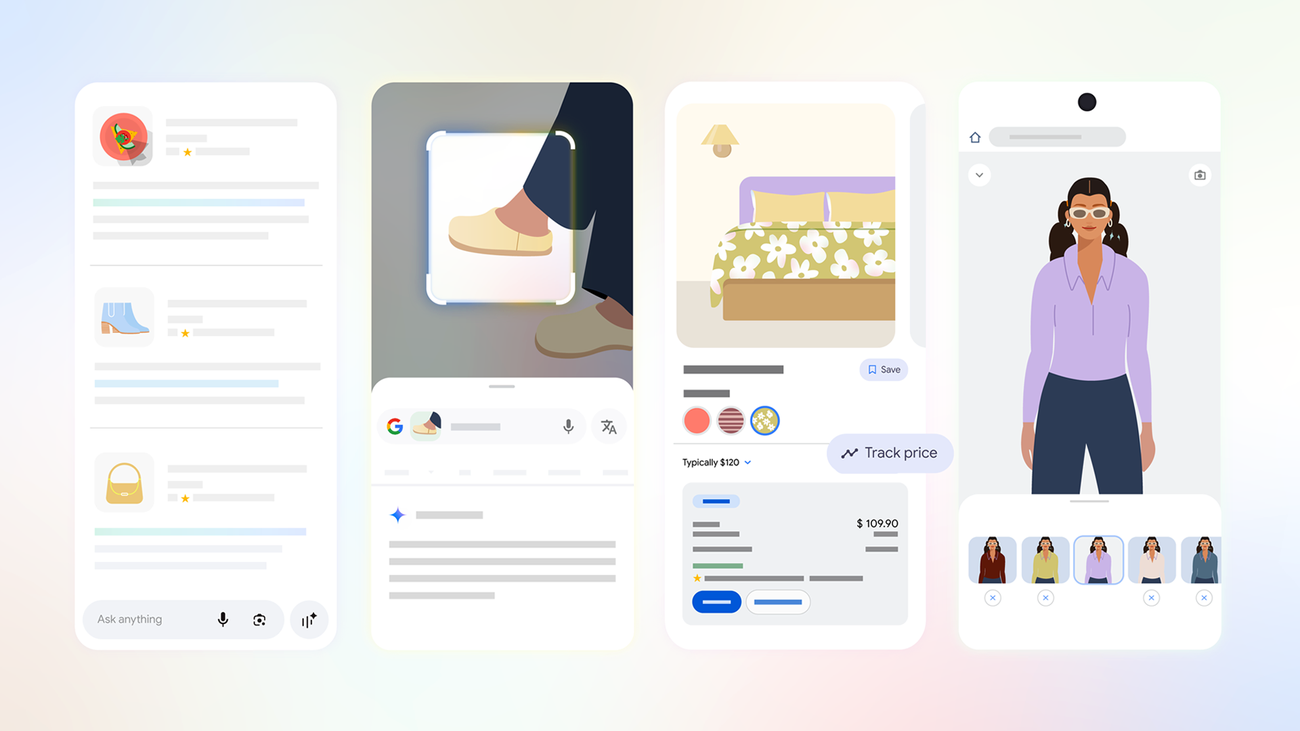
Google is turning its shopping tools into a more connected mobile workflow. In an official update, the company outlined six ways people can use Search, Google Lens, connected apps, price tracking, local inventory and virtual try-on while preparing for the new school year.
The announcement is framed around back-to-school shopping, but the underlying changes are broader. They show Google moving beyond a simple product search toward a shopping journey that can remember preferences, interpret images, compare prices and surface nearby options. The experience remains spread across Google Search, Lens and product listings rather than being presented as one standalone shopping app.
Personalization is optional, but it is becoming more useful
The most significant change is the way Google connects shopping recommendations to information users choose to share from other services. The company says Personal Intelligence can connect Gmail, Google Calendar and Google Photos to AI Mode in Search.
That connection is opt-in. Google’s example is a student searching for a duvet cover: information from housing emails and previous decor purchases could help produce suggestions that better match the user’s mattress size and style. The practical benefit is relevance, but the trade-off is clear: recommendations become more personalized because more personal context is available to the service.
Anyone considering the feature should review the permissions before enabling it and connect only the services they are comfortable using for recommendations. Google’s official guidance on connected experiences explains how the connection is controlled. Users should also remember that a recommendation is not the same as a verified product match, especially when details such as dimensions, materials or compatibility matter.
Lens makes the camera part of the shopping journey
Google is also positioning Lens as a visual shopping tool. A user can photograph a chair, pair of shoes or another object, then use the image to identify its style, find similar products or explore alternative colours. That removes the need to describe an unfamiliar item with the right keywords.
This is particularly useful in physical shops or second-hand stores, where shoppers may not know a product’s name. It can also help when a recommendation comes from a friend or social post and the original seller is not obvious. The result should still be treated as a starting point: visual similarity does not confirm authenticity, condition, exact dimensions or the reliability of a seller.
Price tracking adds a longer view
Google’s update also focuses on buying at the right moment. Product listings can show comparisons across retailers, while a three-month price history indicates whether the current price is high, low or typical. Shoppers can then tap “Track price” to receive an alert if the price falls.
That history is more useful than a single discount label because it gives shoppers a reference point. A product described as being on sale may still be close to its usual price, while a temporary promotion may not be the best value if shipping, accessories or return conditions change the final cost. Price alerts can reduce repeated searches, but users should check the retailer, currency, delivery fees and warranty terms before ordering.
Nearby stock and virtual try-on target the final decision
For people who want to buy locally, Google says Search can show nearby availability when users search for an item with terms such as “near me” or “nearby”. A Nearby filter can also help narrow results to products listed close to the shopper.
That feature is designed for practical purchases such as storage, dorm equipment or household essentials. Inventory can change quickly, however, so an online listing should not be treated as a guarantee that an item will still be on a shelf when the shopper arrives. Calling the store or checking its own stock information remains sensible for time-sensitive purchases.
Finally, Google’s virtual try-on lets shoppers select an item in Search, tap “Try it on” and choose or upload a photo. The tool is intended to help people experiment with clothing styles before adding something to a cart. It can make browsing more visual, but it cannot replace checking sizing information, fabric details, return rules or how a product looks in real lighting.
A more assisted, but still user-controlled, shopping model
Google says 75% of college students surveyed wanted a shopping experience that prioritizes their favourite brands, sizes and styles. The company’s response is to combine several existing mobile capabilities: conversational discovery, visual search, personal context, price history, local availability and image-based try-on.
The broader shift is easy to see. A shopper can describe a need, connect selected apps, photograph an item, compare retailers, watch a price and check local stock without leaving Google’s ecosystem. That could make mobile shopping faster, but it also increases the importance of privacy choices and independent verification. Google’s tools can narrow the search; the final decision still belongs to the shopper.