
Actualité
Signal adds time-limited pinned messages to chats
Signal’s latest messaging update lets users pin up to three messages, photos, polls or files in one-to-one and group chats with automatic expiry options.
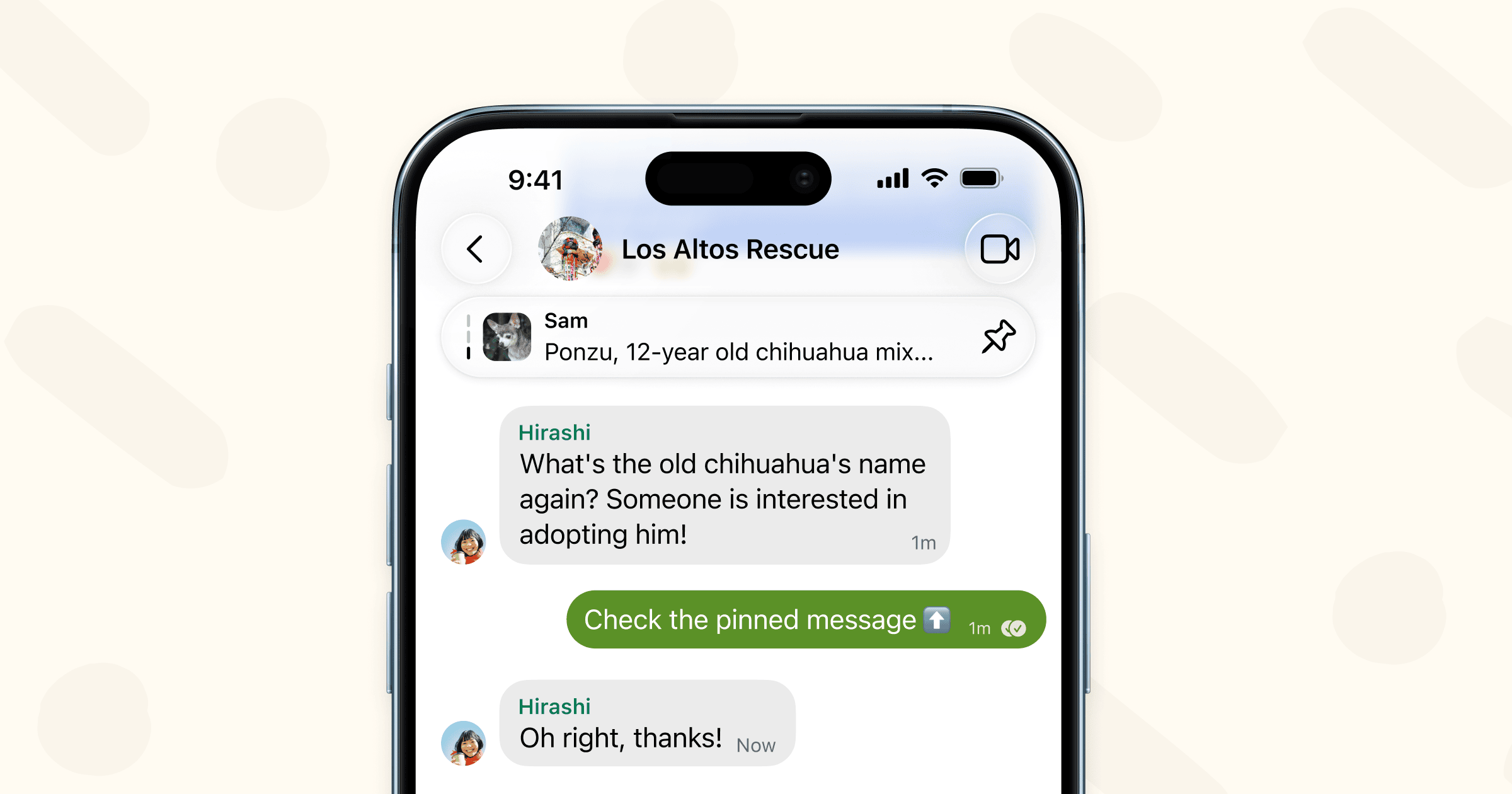
Signal is giving its chats a small but practical piece of shared memory: pinned messages. In an official post published on January 29, 2026, the nonprofit said the latest version of Signal was rolling out the ability to keep important messages at the top of one-to-one and group conversations.
The feature is aimed at information that is useful for a limited period, such as a meeting detail, a dinner reservation, a travel plan or a group reminder. Instead of searching through a long mobile conversation, participants can open the chat and see the selected item in its pinned area.
What users can pin
Signal says the feature supports more than ordinary text messages. Users can pin photos, polls and files as well as messages. The basic action is familiar: long-press the item, choose the pin option and select how long it should remain at the top of the conversation.
That makes the tool more flexible than a permanent announcement. A group could pin a poll while a decision is being made, keep a document visible during a project or highlight a location for the duration of an event. When the information is no longer useful, the pin can disappear automatically instead of becoming another piece of chat history that someone has to remove later.
Four expiry choices
Signal provides four duration choices: 24 hours, seven days, 30 days or forever. The selected period controls the pin, not the underlying message. When the timer ends, the item is automatically unpinned, while the original content remains subject to the normal history and deletion settings of the conversation.
Users can also remove a pin manually before its timer expires. This gives chat participants a way to correct outdated information quickly, while the automatic options keep short-lived announcements from lingering indefinitely.
How visibility works
A pinned item is shared with the other members of the conversation. Signal says that people who were in the chat when the message was sent will see it pinned. The feature therefore works as a group reference point rather than a private bookmark.
That distinction matters in busy chats. Pinning a file or reminder does not create a separate personal copy or change who can access the conversation. Users should treat the pinned area as shared chat content and avoid placing highly sensitive information there simply because it is easier to find.
Groups can keep up to three pins
Chats can hold a maximum of three pinned messages at one time. When another item is pinned after that limit has been reached, Signal says the oldest pinned message is automatically removed from the pinned list. The original message is not described as being deleted; it simply loses its priority position.
Group administrators can also decide who is allowed to pin messages through the group settings. That gives communities a basic moderation control. In a family chat, a team conversation or a community group, administrators can limit pinning if too many members promoting different reminders would make the shared space confusing.
A caveat for new members
Signal’s announcement includes an important history rule. A person will not see a pinned message if the original message is not present in their chat history. This can happen when someone joins a group after the message was sent or when the original content has been deleted.
The same principle applies to disappearing messages. If the original message expires under the conversation’s disappearing-message timer, Signal says its pin will also be removed. Pinning is therefore an index for existing content, not a way to preserve a message beyond the chat’s own retention rules.
Why the update matters
Signal’s change is not a radical redesign, but it addresses a common weakness of mobile messaging: important information is easy to lose between short replies, reactions and media. Time-limited pins provide a visible layer between a normal message and a permanent channel announcement.
The expiry choices also keep the feature aligned with how people actually use group chats. A one-day pin suits a temporary appointment, while a 30-day pin can support a longer project. The forever option is available for information that a group expects to consult repeatedly, although administrators and participants still need to review whether that content remains accurate.
Signal’s official announcement describes the feature as rolling out in the latest version, but it does not promise a single global release date for every device or market. Users who do not see the pin option should update Signal and check again later rather than assuming that a chat or account is malfunctioning. Signal also points readers to its beta programme for people who want to try features earlier and provide feedback.
For everyday users, the practical method is straightforward: long-press a useful message, choose the pin action, select an expiry period and remember that the result is visible to the relevant chat members. The main precaution is equally simple: pin information that the group genuinely needs, and let disappearing-message settings continue to govern content that should not remain available indefinitely.
Signal’s full announcement is available on the official Signal blog.